How much cash remains due at closing? Which offer leaves a balloon at maturity? What annual cash and reserve funding does ownership require? The workbook organizes those calculations using assumptions you control.
Preview the decision summary
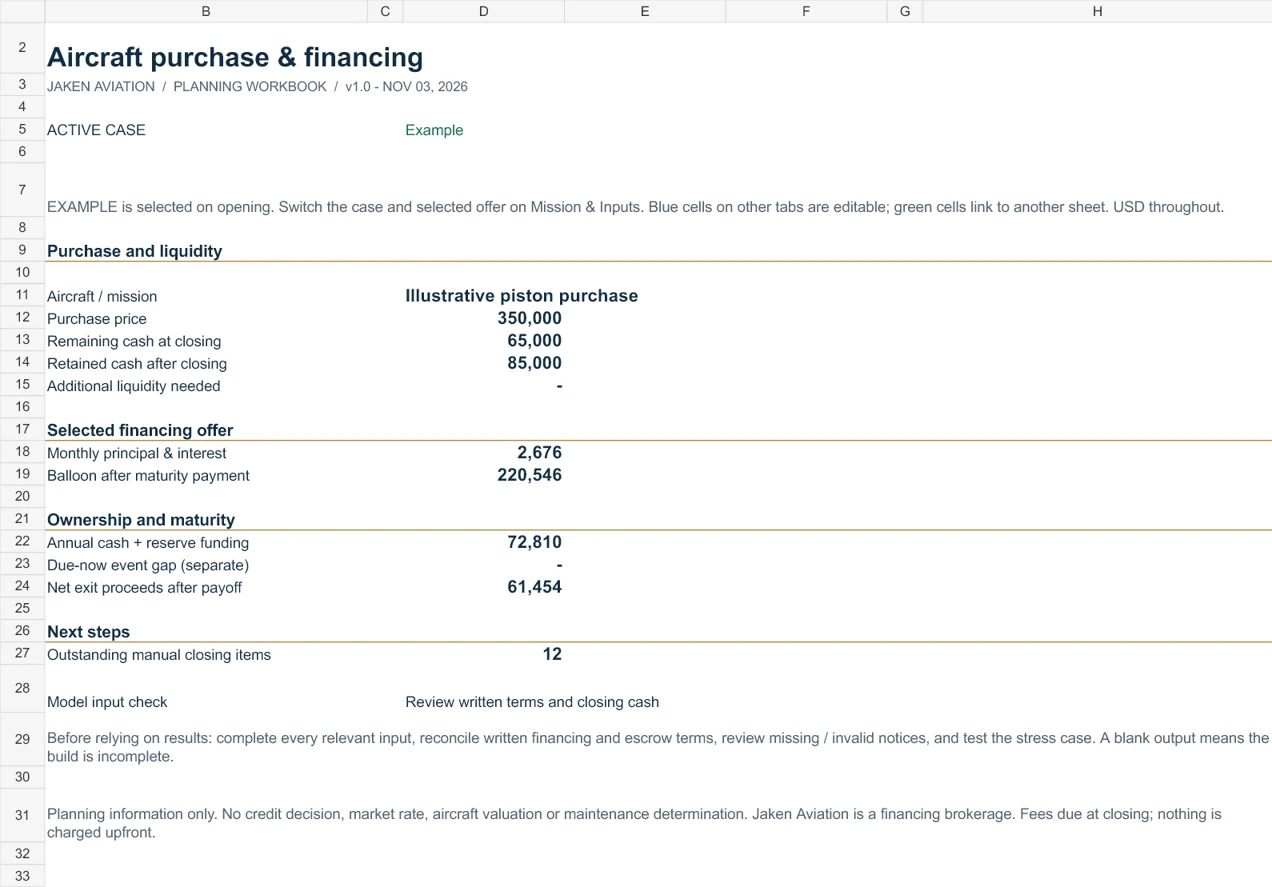
Nine tabs, one purchase plan
- Decision summary
Bring purchase cash, loan payment, retained liquidity, annual funding and remaining closing tasks into one view.
- Mission & inputs
Define your aircraft, flight hours, available cash and liquidity target. Switch between your plan and a fictional example.
- Cash at closing
Reconcile price, loan proceeds, deposit credit, total costs and costs already paid.
- Three financing offers
Compare note rate, amortization, maturity, fees, monthly payments and the balance due at maturity.
- Ownership budget
Separate fixed costs, flight-hour spending, routine service, debt service and event reserve funding.
- Maintenance events
Plan savings for events using your own cost, timing and already earmarked reserve estimates.
- Stress & maturity
Change rates, flight hours, costs and resale assumptions to explore a harder case.
- Closing tracker
Assign owners, dates and statuses to 12 practical purchase and closing milestones.
- Start here
Follow the instructions, model conventions, example limitations and links to public planning guides.
Use the example, then build your own case
- Review the Summary and Start Here tabs. The file opens in Example mode.
- Enter your plan in the blue input cells on Mission & Inputs, Loan Offers, Ownership Budget and Maintenance.
- Select Your plan and choose one offer for the summary. Blank required inputs keep the related outputs incomplete.
- Reconcile deposit credits and prepaid expenses with your cash available now. Include each financing fee once in total closing costs.
- Switch to Your stress to apply the editable stress assumptions. Review the balloon, retained cash and maintenance funding with your professional team.
Understand what the model assumes
The loan model uses equal monthly payments in arrears, a nominal annual note rate divided by 12, and a balance measured just after the scheduled maturity payment. A 0% note rate and an all-cash purchase are supported. The note rate excludes fees and is not APR.
Routine-service allowances exclude the individually listed maintenance events. Event reserve funding sets cash aside; it is separate from operating expenses. A due-now event gap appears separately so it does not disappear into a monthly average.
This file does not determine airworthiness, taxes, aircraft value, lender eligibility, variable-rate resets or credit approval. Confirm costs, maintenance timing, structure, recourse, prepayment and covenants with the appropriate professionals. Jaken Aviation is a financing brokerage. Jaken fees are due at closing; nothing is charged upfront. Third-party expenses follow their own terms.
Keep researching without a download
Use the public loan amortization calculator, financing offer comparison guide and ownership budget scenarios to review the methods and their limits. Existing public calculators, CSV worksheets, borrower questionnaire and prebuy PDF remain available.
Workbook questions
What is included in the aircraft purchase workbook?
One Excel workbook with nine tabs and a PDF quick-start guide. The model compares three financing offers, reconciles cash at closing, builds an annual ownership budget, plans maintenance reserves and tests a stress case.
How do I download the workbook?
Submit your email on this page. After Netlify records and verifies the request, a download page opens and starts the Excel download. No inbox verification is required. You can also download the PDF guide during the same 24-hour browser session.
Do I need to provide a phone number or financial documents?
No. Only email is required. Aircraft category and purchase timeline are optional. Do not submit tax returns, account numbers, financial statements or other sensitive documents through this resource form.
Are the example rates and costs current financing terms?
No. Every prefilled financial example is fictional and editable. It is not a market rate, a financing offer, an aircraft valuation or a lender decision. Replace the example with estimates and written terms relevant to your purchase.
Will my workbook inputs be uploaded to Jaken Aviation?
No. This downloadable workbook has no macros, external data connections or upload feature. Financial modeling stays in your saved workbook. The website stores the contact and interest details submitted through the resource form.
Can I use the workbook for a turboprop or jet purchase?
The editable cash, fixed-payment loan, budget and reserve calculations can support planning across aircraft categories. Complex jet structures, variable-rate loans, multiple-aircraft transactions, tax treatment, maintenance programs and lender covenants need separate professional review.
Does downloading the workbook apply for financing?
No. Requesting a resource is separate from a financing inquiry, underwriting or approval. If you want to discuss a purchase, you can choose the separate financing inquiry after downloading.
Are there any upfront Jaken fees?
Jaken fees are due at closing; nothing is charged upfront. Third-party expenses follow their own terms. The workbook is free to request.